Microsoft has announced plans to discontinue the Calendar, People, and Files companion applications for Microsoft 365 on December 16, 2026. The company is calling on IT administrators to uninstall these tools from managed devices across their organizations before the end-of-life date arrives.
The announcement follows an October 2025 decision by Microsoft to begin deploying these companion apps automatically across all Windows 11 enterprise systems running Microsoft 365 desktop client software by the end of that year.
The three companion applications were designed to bring Copilot-powered AI capabilities directly to the Windows 11 taskbar. They enable users to search for colleagues within their organization, retrieve files stored in Microsoft 365 or locally, and monitor calendar schedules without switching between applications.
According to Microsoft's documentation, the apps launch at system startup by default, allowing users to "quickly look up contacts, find files, and check your schedule without delay" and ensuring they "show relevant results as soon as users open the app."
IT administrators had options to prevent automatic installation through Device Configuration settings in the Apps Admin Center. Individual users could also disable the auto-launch behavior by accessing each application's Settings and toggling off the "Start app minimized when you log in" option.
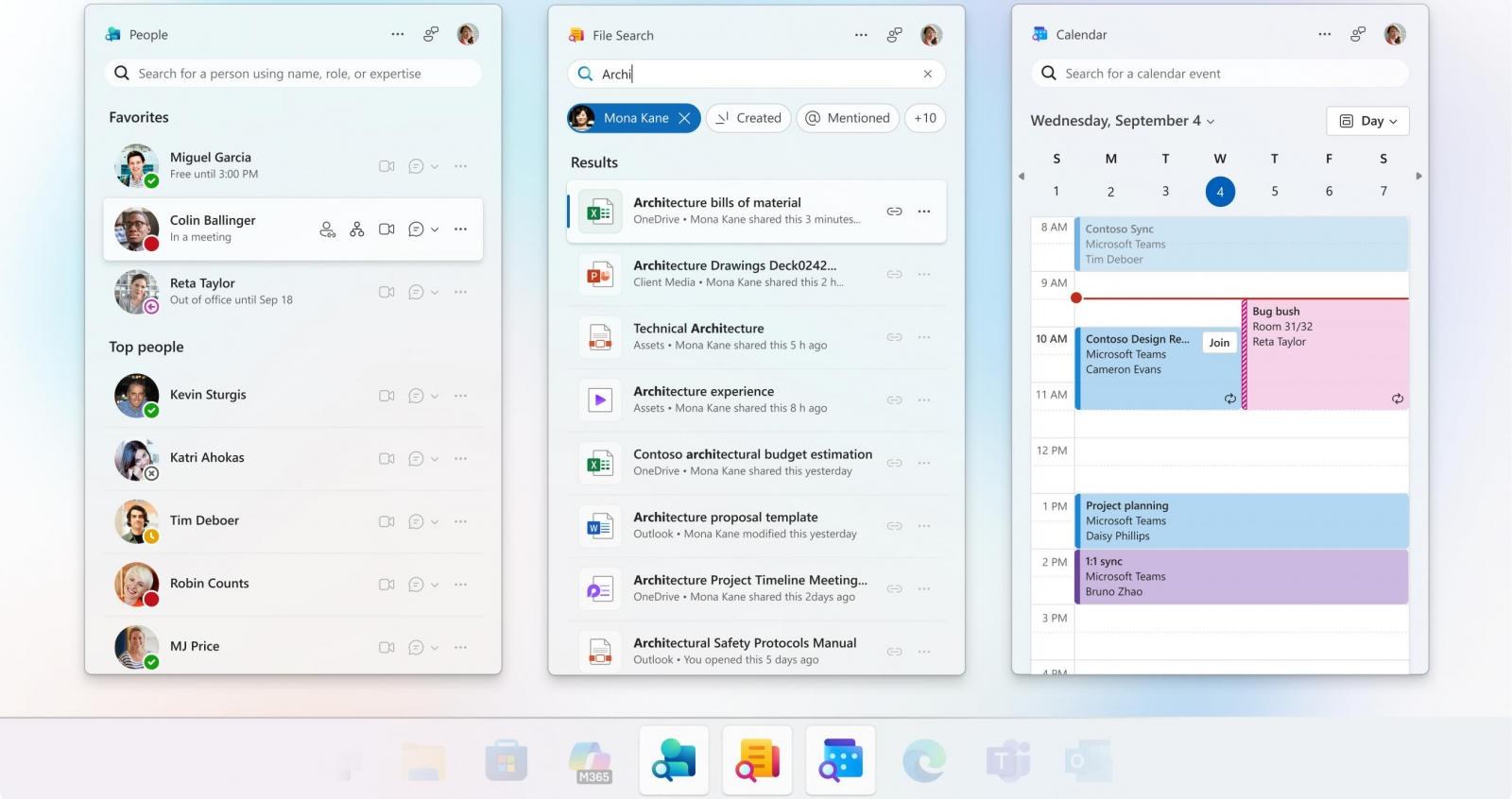
Roughly one year after beginning the automatic rollout, Microsoft declared that the companion apps would reach end-of-life status on December 16, 2026. At that point, the company stated the applications will cease functioning and receive no further support.
The Microsoft 365 companion apps—Calendar, People, and Files — are taskbar-integrated apps designed to streamline everyday workflows, helping users stay focused, reduce context switching, and complete tasks faster. We are retiring the companion apps, and they will no longer function or be supported after 16. December 2026. We advise admins remove the apps from devices in their tenant by this date.
Microsoft 365 message center update
As of Friday, Microsoft halted the distribution of these companion apps through Microsoft 365 Apps updates. For unmanaged devices, the company is requesting that administrators and users manually remove the applications themselves.
In a related security move announced on Friday, Microsoft reminded administrators to transition Entra ID users to phishing-resistant authentication methods, including passkeys, QR code authentication, or FIDO2 security keys. This guidance comes ahead of Microsoft's planned retirement of SMS first-factor sign-in, which is scheduled to begin in February 2027.