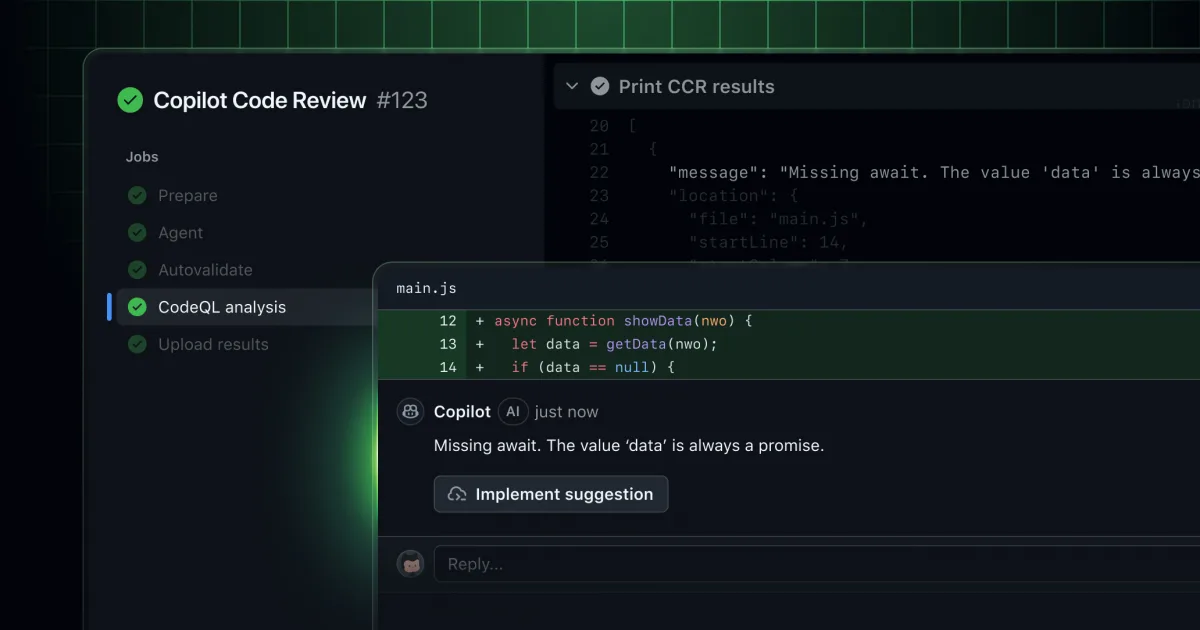
Copilot code review has evolved to merge LLM-based detection capabilities with tool calling functionality alongside established deterministic tools such as ESLint and CodeQL. The result is more intelligent code reviews paired with streamlined integration to the Copilot coding agent for implementing suggested corrections.
Rich context with tool calling
The service now employs agentic tool calling to proactively collect comprehensive project context spanning code, directory layout, and cross-references. This capability allows CCR to grasp how modifications integrate into the overall project structure.
The benefit: feedback becomes targeted, precise, and reduces unnecessary noise, enabling teams to produce higher-quality code with faster turnaround.
New deterministic detections with CodeQL and ESLint
Coming soon, CCR will incorporate CodeQL alongside popular linting tools, beginning with ESLint, to unite semantic analysis with conventional rule-based validation. Blending LLM capabilities with deterministic accuracy produces high-confidence, repeatable findings addressing both security and code quality concerns.
The benefit: developers gain confidence that serious problems—spanning security flaws to maintainability issues—are consistently identified and thoroughly documented.
Seamless handoff to Copilot coding agent
Developers can now transfer recommended modifications directly to the Copilot coding agent. By referencing @copilot within a pull request, CCR will immediately execute the proposed corrections via a stacked pull request, prepared for developer inspection and merging.
The benefit: manual effort decreases and review iterations drop, freeing engineers to concentrate on more strategic technical work.
Customizable workflows and editor availability
Customizable workflows and support across multiple editors are already in general availability, positioning CCR as an integral component throughout the entire development lifecycle, from initial coding through review and deployment.
Teams establish their own review criteria and communication style via instructions.md or copilot-instructions.md files, allowing them to direct what CCR emphasizes—whether test coverage, efficiency, or code clarity. The tool operates across VS Code, Visual Studio, JetBrains, Xcode, and github.com, guaranteeing uniform feedback across all development environments.
The benefit: CCR conforms to your organization's unique standards and operates within your preferred tools.
Getting started
Tool calling and deterministic detections are accessible in public preview and activated automatically for Copilot Pro and Copilot Pro Plus subscribers. Copilot Business and Copilot Enterprise customers have the option to enable these features through Copilot code review policies.
Interested users can participate in conversations on GitHub Community.