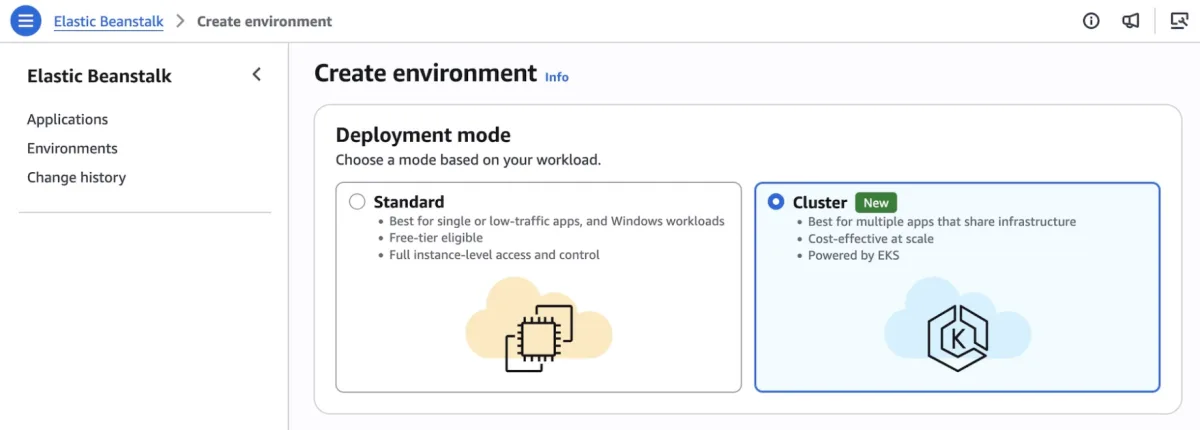
Since its 2011 debut, AWS Elastic Beanstalk has allowed developers to deploy full-stack applications across Java, .NET, Python, Node.js, PHP, Ruby, and Go while AWS handled infrastructure operations. The service has now been redesigned to deepen that operational responsibility: AWS manages deployment, scaling, patching, monitoring, and maintenance for the entire lifecycle of production environments, while teams focus on application code.
The platform's operational foundation has undergone significant rebuilding. Recent additions include AI-powered environment diagnostics with automatic fix recommendations, an official GitHub Action for CI/CD integration via YAML configuration, OpenTelemetry-based observability, traffic-splitting deployments with automatic rollback, event-driven autoscaling, AWS Secrets Manager integration, and HTTPS by default through AWS Certificate Manager.
Elastic Beanstalk Cluster Mode represents the next evolution: a fully managed deployment tier that continuously deploys, scales, patches, monitors, and upgrades applications throughout their operational lifetime. Teams can run multiple applications sharing infrastructure powered by Amazon Elastic Kubernetes Service (Amazon EKS), all managed through a single operational baseline. As application portfolios grow, per-application costs decrease without adding operational complexity, whether managing ten applications or a hundred.
Cluster Mode capabilities
- Source code to production in any supported runtime. Upload code in Java, .NET, Python, Node.js, PHP, Ruby, or Go; Elastic Beanstalk handles containerization automatically through Cloud Native Buildpacks when needed. Legacy applications from on-premises environments or new services require no Dockerfile or rearchitecting.
- Enterprise compliance built in. Elastic Beanstalk is HIPAA eligible, PCI DSS compliant, and aligned to SOC 1/2/3 without additional configuration, enabling regulated industries to deploy production workloads with required compliance posture.
- Production-grade deployment strategies. All-at-once, rolling, immutable, and traffic-splitting deployments with automatic rollback on failure. Event-driven autoscaling, AWS Secrets Manager integration, and native OpenTelemetry support enable integration with most observability backends, including Amazon CloudWatch.
- AI-powered troubleshooting. When issues occur, Elastic Beanstalk collects service-side logs and provides AI-generated recommendations to resolve problems faster without manual infrastructure investigation.
Getting started with Cluster Mode
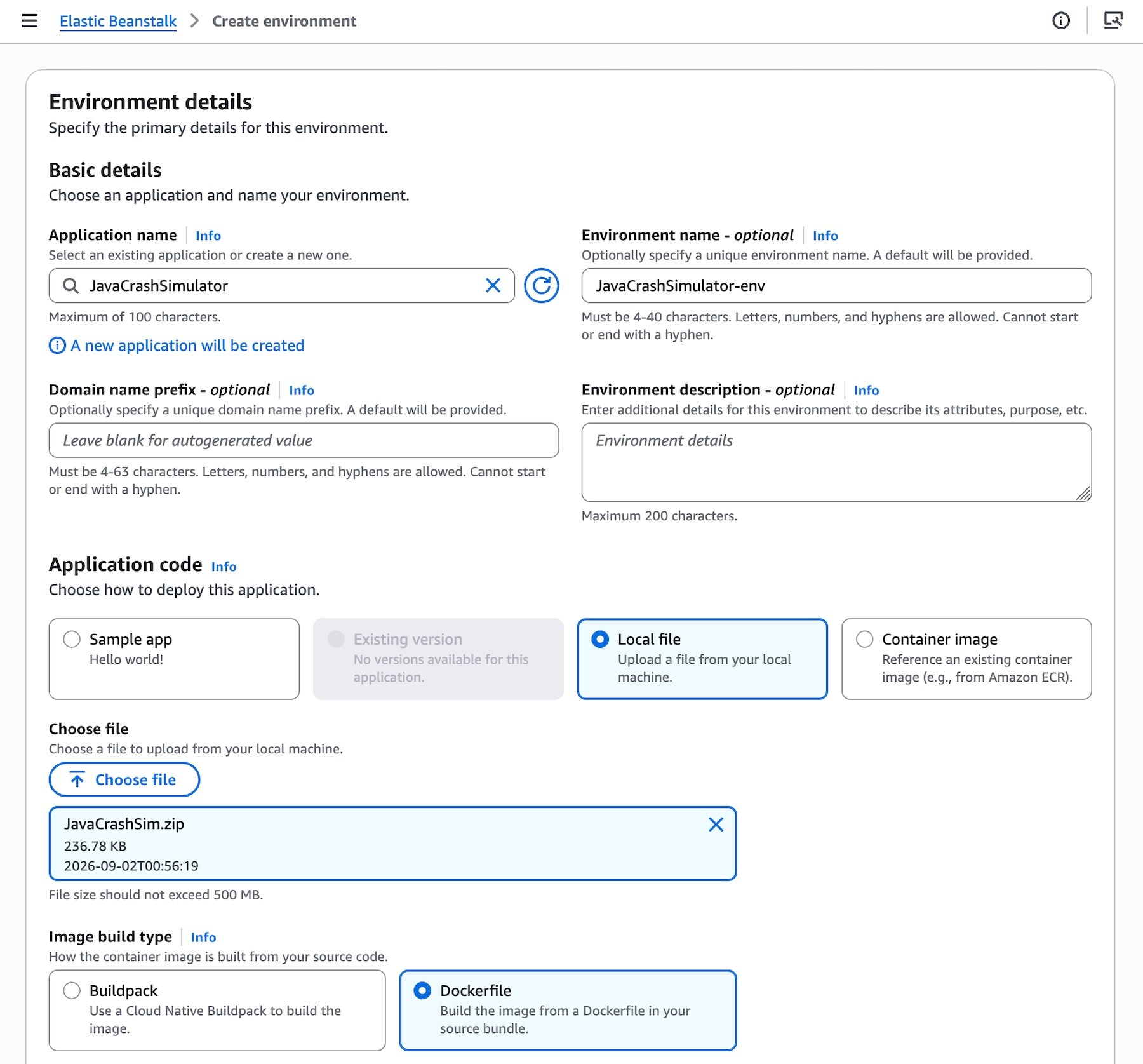
To begin, navigate to the Elastic Beanstalk console, create a new environment, and select Cluster as the deployment type. The service accepts source code, Dockerfile, or container image. For example, select Local file and specify container image build options. Default values work for most scenarios. After clicking Create, deployment begins. The first deployment for a given set of subnets triggers EKS cluster creation, which takes approximately ten minutes. Subsequent deployments reuse the existing EKS cluster and complete faster.
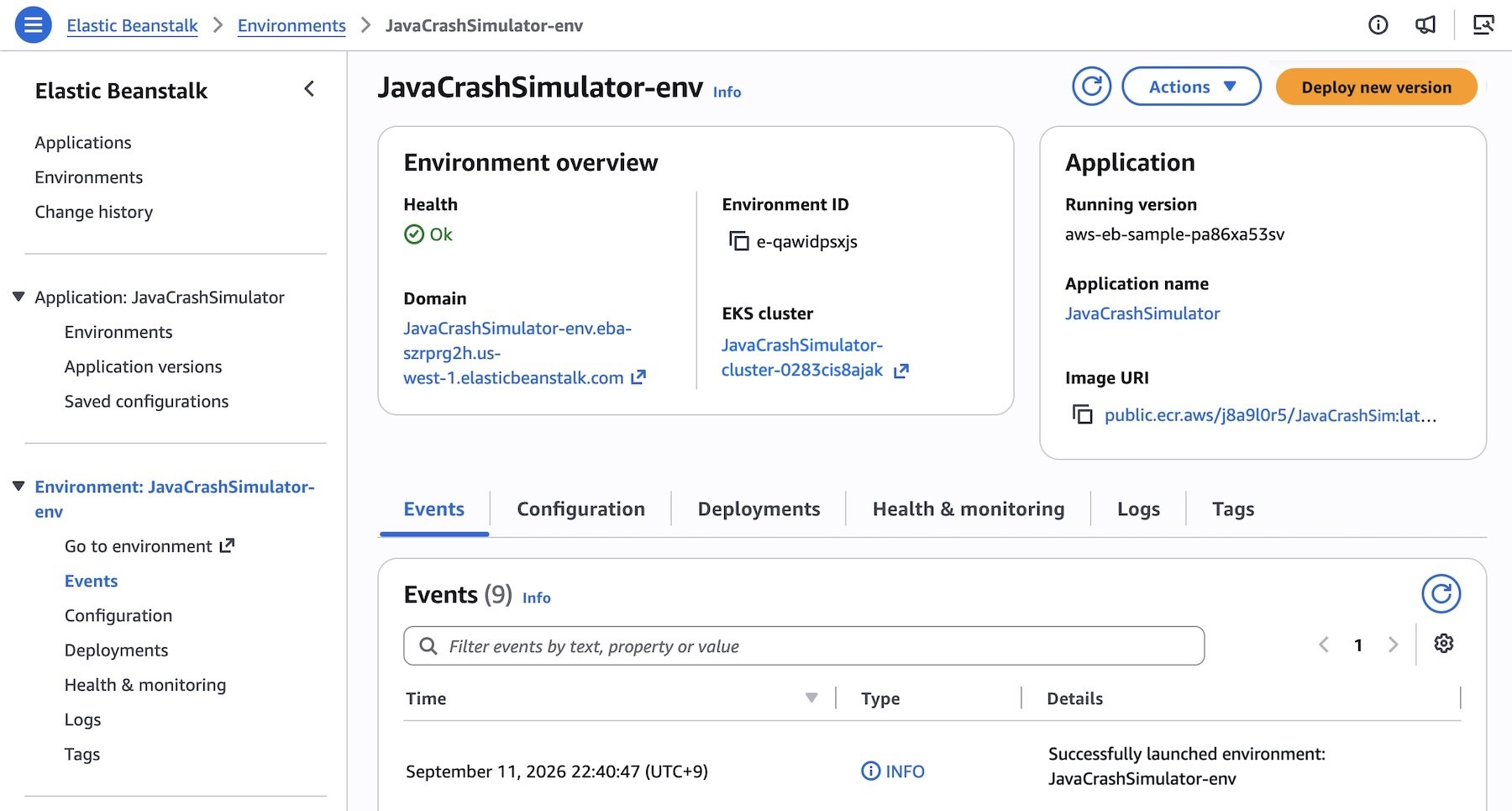
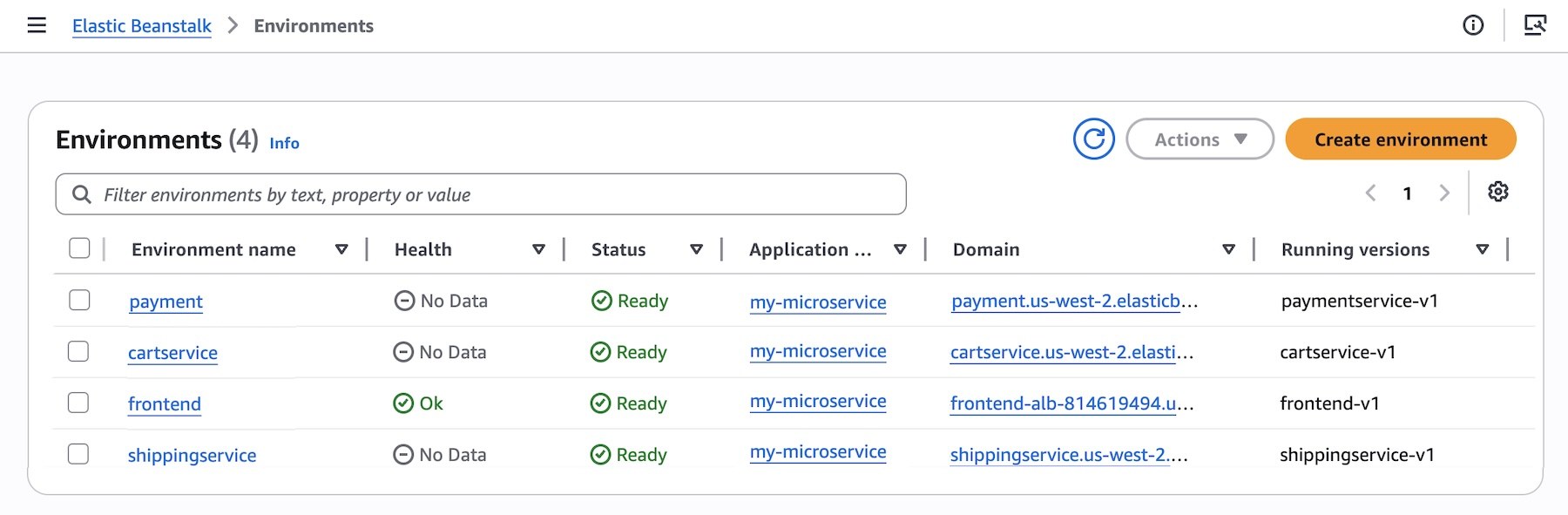
Alternatively, use the AWS Command Line Interface (AWS CLI), the EB CLI, or AWS SDKs. To deploy a multi-service application to Kubernetes, first create an application:
aws elasticbeanstalk create-application \
    --application-name "my-microservice" \
    --description "Multi-services demo"
Register pre-built container images from Amazon Elastic Container Registry (Amazon ECR) as application versions, then set and deploy service options for each microservice. For instance, the frontend service may need a public internet interface via Application Load Balancer and a health check path for HTTP traffic:
aws elasticbeanstalk create-environment \
    --application-name my-microservice \
    --environment-name frontend \
    --version-label frontend-v1 \
    --tier Name=Cluster,Type=EKS \
    --option-settings file:///tmp/frontend-options.json
Continue deploying each service environment using the same approach.
Standard Mode remains available
Elastic Beanstalk Standard, powered by Amazon Elastic Compute Cloud (EC2), continues with full support. Standard and Cluster Mode environments coexist within the same Elastic Beanstalk application, allowing teams to migrate one environment at a time at their own pace. Validation checks confirm compatibility before changes, preventing forced migrations.
Standard Mode remains the optimal choice for single applications or single-environment deployments, Windows/.NET Framework workloads on IIS, applications that cannot be containerized, and workloads spending under $500 per month where the EKS control plane fee and EKS Auto Mode premium would create overhead that a single application cannot offset through resource consolidation.
Availability and pricing
AWS Elastic Beanstalk Cluster Mode is generally available today across all AWS Regions where Elastic Beanstalk operates. Regional availability and future roadmap details are available on the AWS Capabilities by Region page.
There is no additional charge for Elastic Beanstalk Cluster Mode itself. Costs apply only to underlying AWS resources consumed by applications, including the EKS control plane fee, EKS Auto Mode compute (approximately 12% premium on EC2 instance costs), Amazon ECR, and Amazon CloudWatch. Cluster Mode is not eligible for the AWS Free Tier. Pricing details are available on the AWS Elastic Beanstalk Pricing page.
Teams can test Cluster Mode in the Elastic Beanstalk console and provide feedback through AWS re:Post for AWS Elastic Beanstalk or standard AWS Support channels.