
Google is rolling out fresh safeguards in Chrome that harness Gemini's capabilities to spot fraudulent websites and alert users attempting to execute commands harvested from ClickFix campaigns. These protections fall under the Enhanced Protection tier of Safe Browsing, which the company asserts delivers tenfold better protection against phishing, social engineering, notification spam, and similar threats when compared to Standard Protection.
The browser now introduces a "suspicious site" alert for pages displaying deceptive design patterns that don't yet trigger the full-page red warning threshold. According to Google, "Suspicious site warnings notify users when a page exhibits deceptive patterns commonly associated with known malicious sites." The company added that "By tailoring the warning UI in this way, we are able to safely expand our coverage to display a higher volume of protective warnings."
Server-side Gemini replaces on-device detection
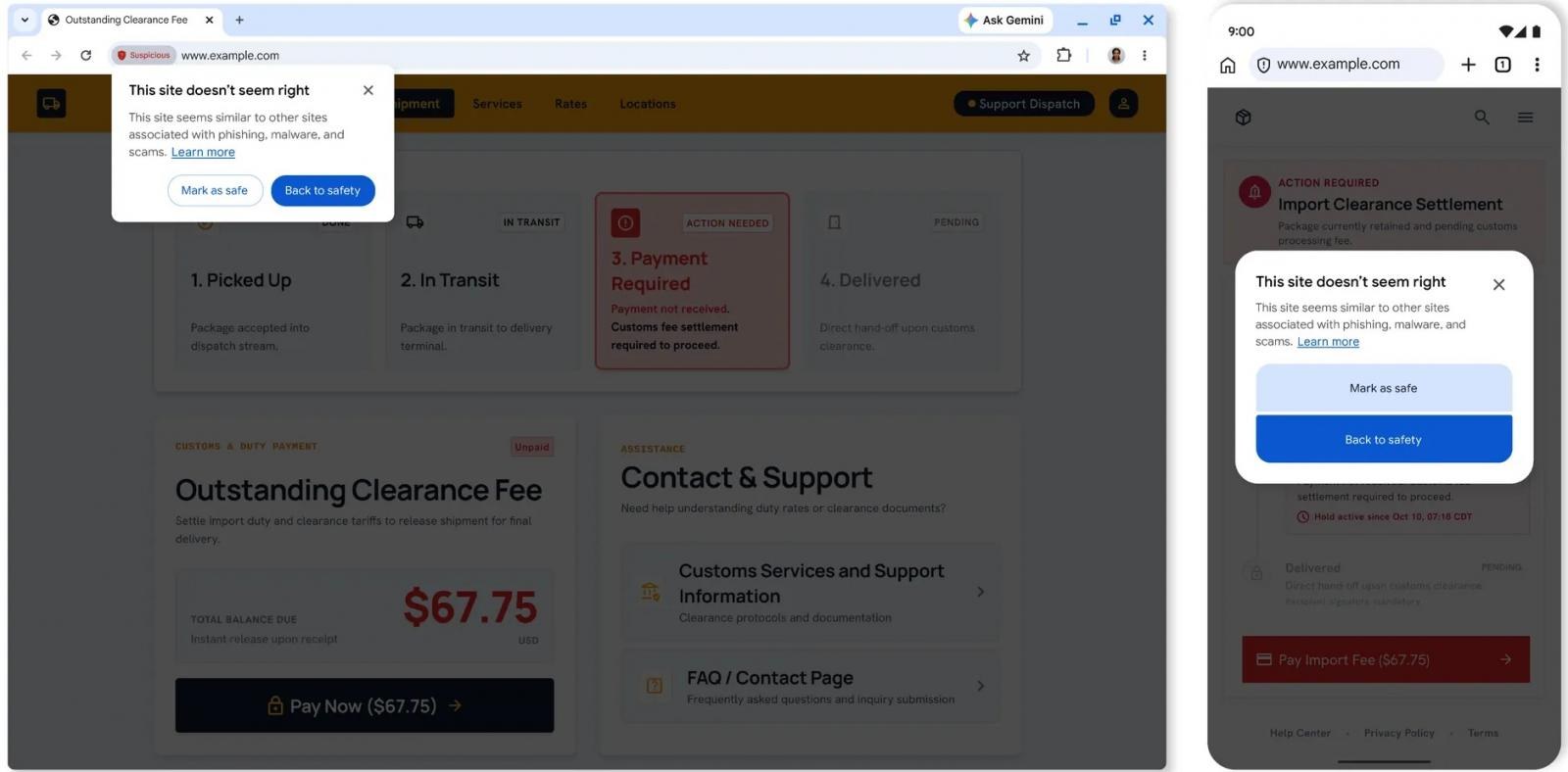
Chrome has transitioned from running Gemini locally on users' devices for identifying tech support fraud to deploying a more sophisticated server-side variant for Enhanced Protection subscribers. Google's approach examines multiple indicators—including the brand being impersonated, the page's purpose, and scam likelihood scores. Safe Browsing then layers this analysis atop domain reputation checks and additional security signals.
Privacy remains a consideration in this shift. Google stated that "Chrome minimizes the amount of data shared with the server by only analyzing page text when a site exhibits high-confidence scam indicators." Furthermore, "whenever page content is sent off the device, it is processed ephemerally – meaning it is never logged, retained or used to train models."
Clipboard interception for ClickFix attacks
Enhanced Protection now extends to intercepting ClickFix schemes, which typically manipulate users into executing malicious PowerShell or Command Prompt scripts. When Chrome detects a likely ClickFix payload being copied, it strips personally identifiable information from the clipboard data and forwards it to Safe Browsing for evaluation. Should the analysis flag it as malicious, Chrome blocks execution with a warning.