Cloudflare announced last month a pair of capabilities aimed at helping site owners manage automated traffic: the BotBase directory in the dashboard and Business Insights to track crawler interactions. Recognizing that the bot ecosystem requires participation from both sides, Cloudflare is now introducing tools to bring bot operators into the fold. Previously, operators could submit their bots but had limited insight into what happened after submission. BotBase for Operators addresses this gap by offering transparency into the submission process.
Relocating bot submissions and organizing the interface
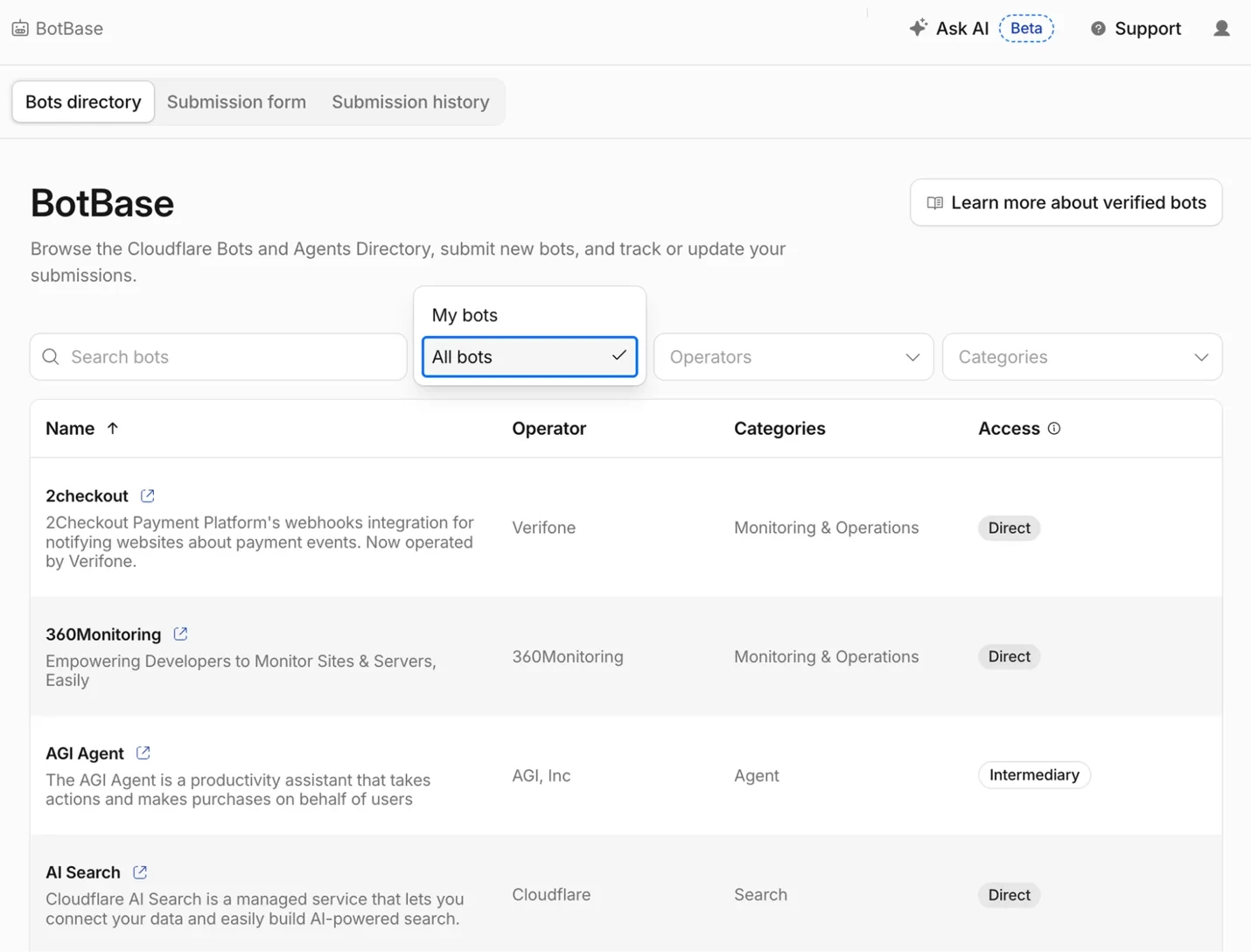
Bot submission forms previously lived under Manage Account → Configurations. Starting now, they are accessible from Protect & Connect → Application Security → BotBase, placing them alongside other bot and trust management tools. The interface divides BotBase for Operators into three sections: a searchable bots directory matching the catalogue on Cloudflare Radar, a submission form for new bots, and a submission history tracker.
Tracking submission status in real time
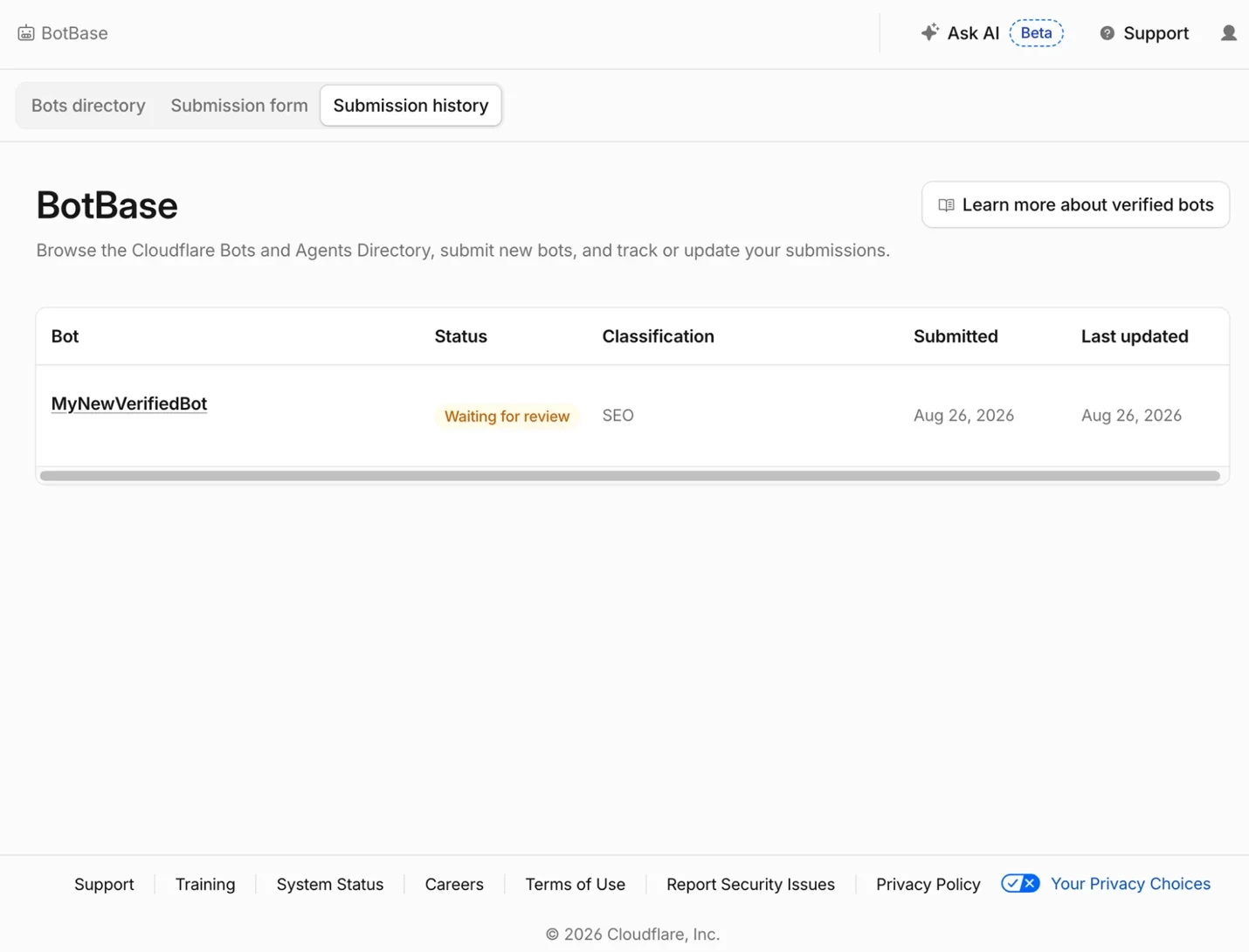
Operators consistently reported that submitting a bot felt opaque—no feedback after pressing submit. The new Submission history tab displays every bot submitted from an account with clear status indicators. Submissions can show as Waiting for review, Accepted, or Rejected. When rejected, operators receive specific reasons and actionable steps to fix and resubmit. Accepted submissions may also show how Cloudflare reclassified the bot. This eliminates the need to contact support to check submission progress.
Operators can now filter their own bots from the directory screen to see all submissions under their current login. Every bot submitted from today forward will have a viewable status record.
Editing and updating bot information
Bot details change over time—IP hosting endpoints move, or operators switch from IP allowlists to Web Bot Auth signatures. Previously, reflecting such changes required submitting an entirely new form. Now operators can edit existing submissions and cancel entries still awaiting review. Keeping bot information current is essential for earning and maintaining Verified status, which increasingly influences whether sites allow the bot based on its behavior.
A revised taxonomy reflecting actual bot behavior
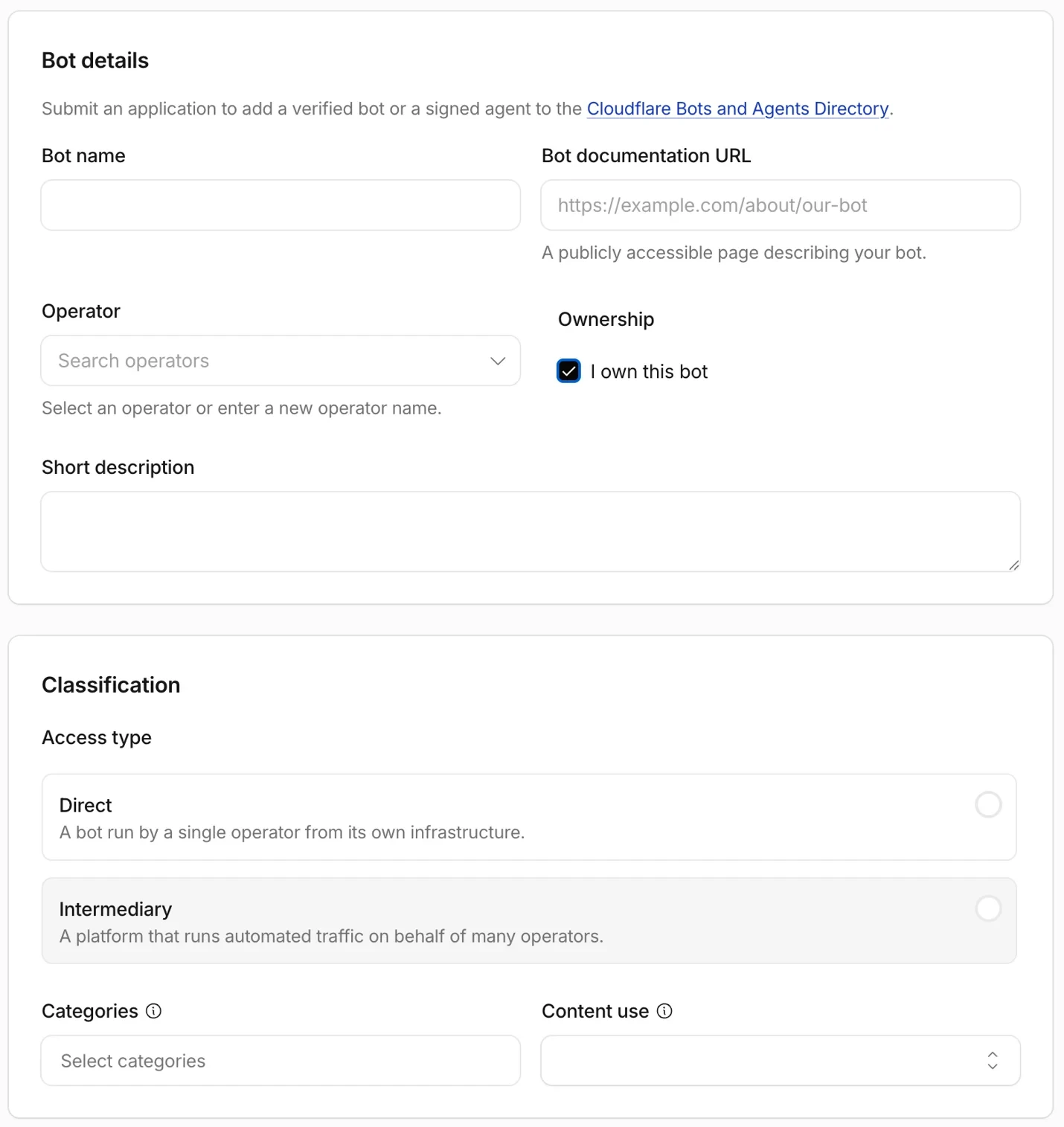
The updated submission form asks operators to describe their bot as it actually functions rather than forcing it into a single category. The form follows the behavior and content use model introduced on July 1, requiring operators to specify three dimensions.
First, operators declare what the bot does: indexing for search, acting as an agent on behalf of users, collecting data, training models, or supporting SEO tools. Multiple behaviors can be selected if applicable.
Second, they specify how the bot uses content it reads. A crawler extracting search snippets differs from one storing pages for model training. Operators declare content-use levels using the same Content Signals model that site owners use to set their own rules. For instance, a site's robots.txt might specify Content-Signal: search=yes, ai-train=no, use=reference, and the bot's declaration gets checked against such preferences.
Third, operators identify who runs the bot. Direct operation means the bot runs from the operator's own infrastructure, like a search engine building its own index. Intermediary operation means the operator runs a platform that other companies build on, carrying their traffic without having decided to send it themselves—such as a general-purpose AI assistant fetching a page because a user queried a different company's app built on that assistant's API.
Automating review for faster processing
Bot submissions have grown sharply, increasing roughly 7 times in volume since 2023. Manual review of every submission no longer scales. Cloudflare rebuilt the review process to run automatically. Submissions now pass through automated checks: duplicate detection, user-agent pattern specificity to avoid overlap with registered bots, and verification method validation. The system fetches IP lists, confirms reverse DNS, or validates Web Bot Auth signatures automatically rather than requiring manual verification. If checks pass, the bot enters tracking immediately. If issues arise, the submission routes to the team with the specific problem flagged, rather than arriving as a blank queue entry. Most submissions now move faster than before.
How to submit a bot
- Navigate to Protect & Connect → Application Security → BotBase in the Cloudflare dashboard.
- Open the Submission form and declare the bot: operator identity, behavior, content use, and verification method.
- Submit. The submission appears in Submission history as Waiting for review.
Future roadmap
This launch prioritizes visibility, allowing operators to see, understand, and edit submissions. Cloudflare plans two additional phases:
- Ownership and observability, coming soon: operators can claim bot ownership, manage live directory entries, and understand how websites treat their bot.
- Conversation, a longer-term goal: a sustainable channel for operators to request site access if they can demonstrate value rather than harm.
The vision is to expand BotBase so operators understand exactly how their bot is treated and receive guidance on crawling more responsibly, transforming a one-way submission into an ongoing relationship. BotBase began as a directory for site owners and is evolving into a space where bot operators participate in the ecosystem, understand their standing, and maintain accurate information.