Microsoft has distributed KB5132057, a November optional cumulative update targeting Windows 11 versions 25H2 and 26H2. The release encompasses 28 changes focused on quality improvements rather than security patches, including enhancements to Windows Search, Windows Hello, and the Run dialog.
As a preview update, KB5132057 gives IT administrators an opportunity to evaluate Windows improvements, bug fixes, and new features ahead of their general availability in the following month's Patch Tuesday cycle. Unlike standard cumulative updates, optional monthly releases exclude security fixes and deliver only quality enhancements.

The update introduces a redesigned Windows Search Box built on WinUI 3, which removes promotional content from web results to improve resource efficiency and provide a cleaner interface. Windows Hello facial recognition receives improvements that enable users to sign in during low-light conditions after activating the "Automatically adjust screen brightness during face recognition" option found in Settings > Accounts > Sign-in options > Facial recognition (Windows Hello).
KB5132057 also delivers the new Run dialog, originally presented in May with a refreshed design and a response time of approximately 94 ms. Users can activate this feature by enabling "New Run dialog" under Settings > System > Advanced.
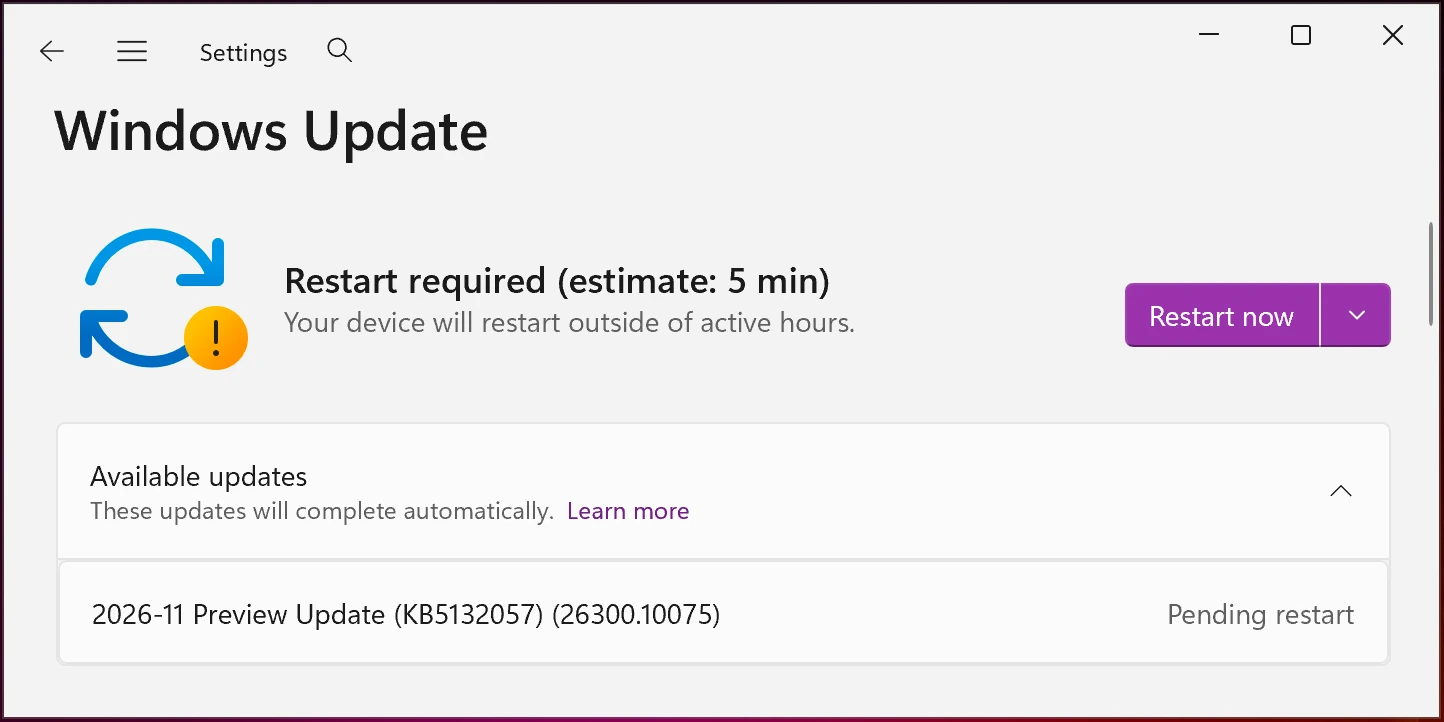
Installation can be completed through Windows Settings by navigating to Windows Update and selecting 'Check for Updates.' Since this is an optional update, users without automatic updates enabled should click the "Download and install" link. The update is also available for manual installation via the Microsoft Update Catalog.
KB5132057 highlights
Once installed, the optional update will upgrade Windows 11 26H2 and 25H2 devices to builds 26300.10075 and 26200.10075, respectively. The November 2026 preview update introduces numerous changes, with the most notable ones listed below:
- Search from This PC in File Explorer now uses indexer-based functionality, delivering faster and more consistent results aligned with File Explorer Home search capabilities.
- Inline actions allow users to perform common tasks directly from Windows Search without accessing Settings, such as enabling dark mode or Bluetooth, adjusting brightness, muting audio, or managing open windows. Users with Android phones connected through Phone Link can also initiate calls, send messages, and execute phone-specific actions including "Find my phone" and "Do Not Disturb."
- Accidental activation of Sticky Keys, Filter Keys, or Toggle Keys can now be disabled directly from the resulting prompt, while notification and sound preferences for these features remain configurable under Settings > Accessibility > Keyboard > Notification preferences.
- Web sign-in support has expanded to Microsoft Entra hybrid-joined devices, complementing existing support for Microsoft Entra-joined devices. Users can authenticate at the lock screen without passwords using FIDO2 security keys, phone-based passkeys, or Temporary Access Pass (TAP) credentials. Following authentication, Windows obtains a Kerberos ticket to maintain access to on-premises file shares and internal resources.
- File History restoration has been corrected to properly locate backups when a drive is designated as the backup destination.
Microsoft cautioned on Thursday that devices may undergo an additional restart following deployment of the November 2026 optional update and subsequent updates arriving in the coming months.
With recent and upcoming Windows updates over the next few months, a limited number of consumer and business devices might experience one additional restart during installation. This one‑time restart occurs after a Secure Boot certificate update is applied as part of the Secure Boot update process.
Microsoft
Microsoft indicated that KB5132057 represents the final non-security preview update for the year as the organization reduces operations during the Western holiday season. Standard monthly servicing will resume in January.