Following its introduction of Volume Clones for Amazon Elastic Block Store (Amazon EBS) last year, AWS has now expanded the feature to permit copying volumes between separate AWS accounts. The enhancement allows administrators to generate instant snapshots of EBS volumes across account boundaries and optionally apply fresh encryption using an AWS Key Management Service (AWS KMS) key within the receiving account.
The cross-account capability enables teams to leverage current production data for development, testing, and experimentation in isolated secondary environments without compromising the integrity of live systems. Organizations can now refresh their development and test infrastructure—housed in separate AWS accounts—with the latest production EBS volumes, applying encryption standards as needed.
How to copy EBS volumes across accounts
The process begins when volume owners grant the destination account permission to access their volume through AWS Resource Access Manager (RAM), a service designed for sharing resources across AWS accounts or within an AWS Organization. Once access is granted, administrators in the target account can identify the shared volume and initiate a copy.
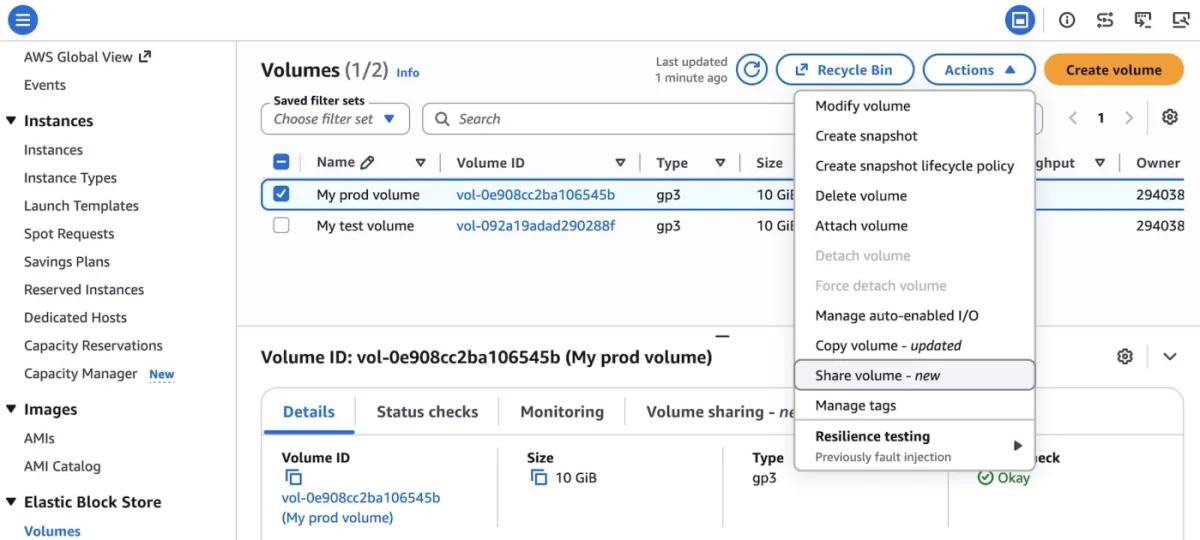
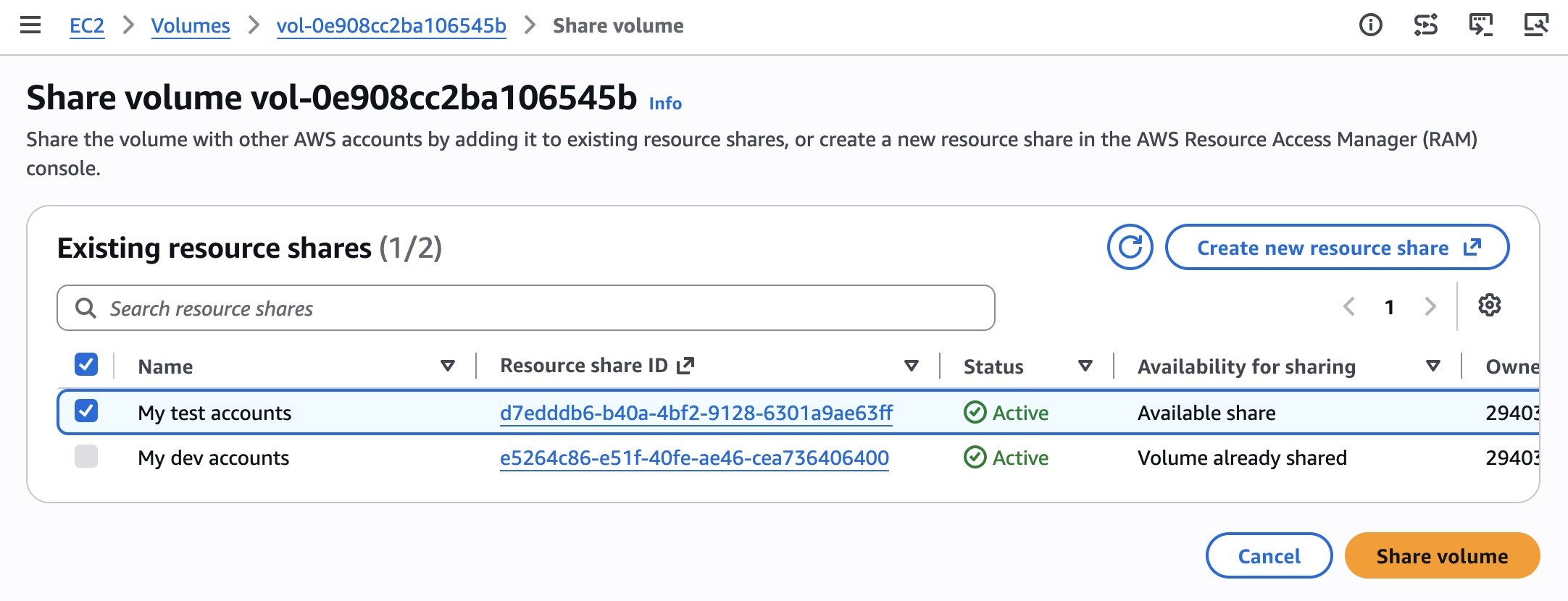
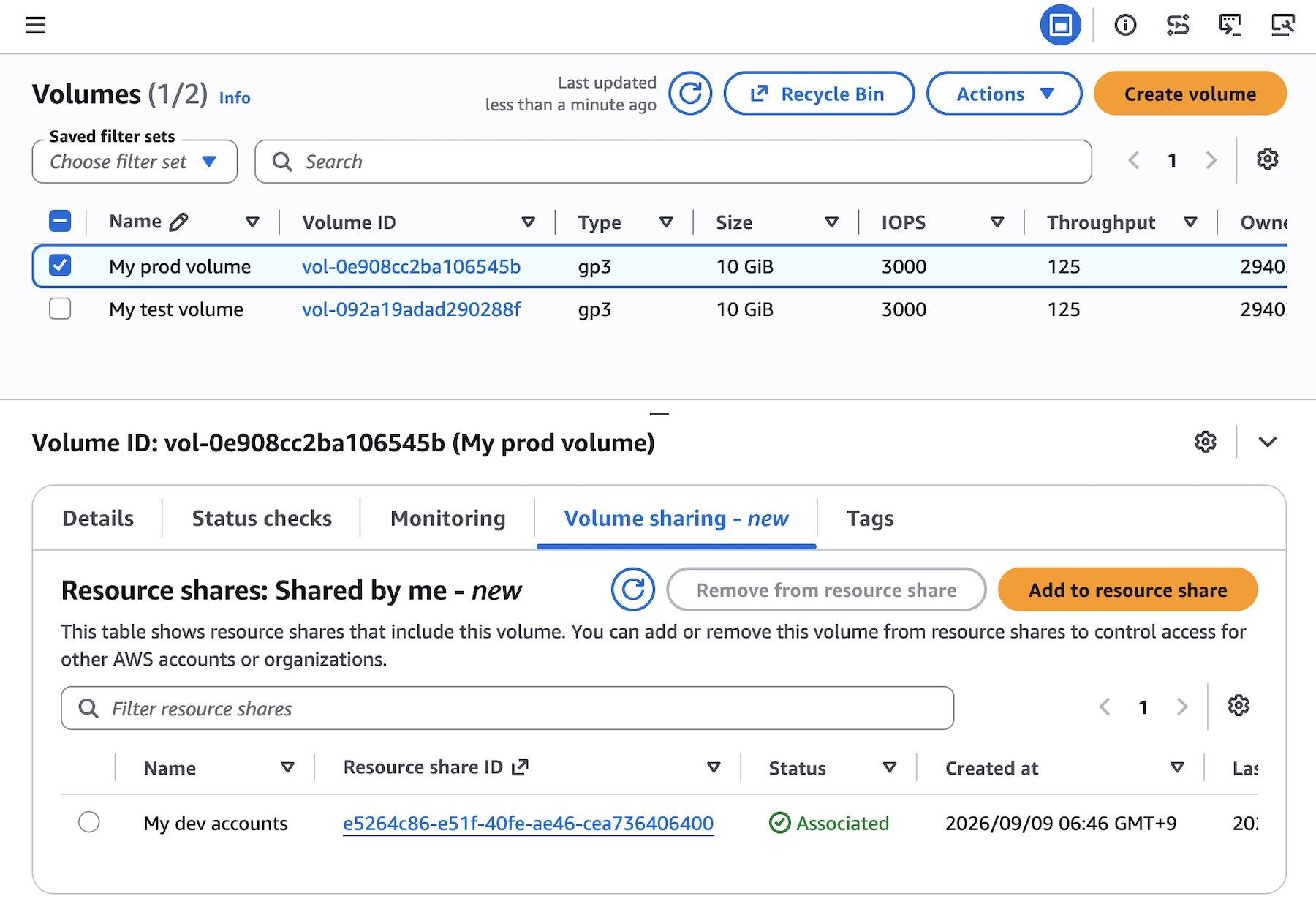
In the Amazon EBS console, select the volume intended for sharing and choose Share volume. Next, add it to an existing resource share or establish a new one via the AWS RAM console. The Volume sharing tab on the volume detail page will display confirmation of the sharing arrangement.
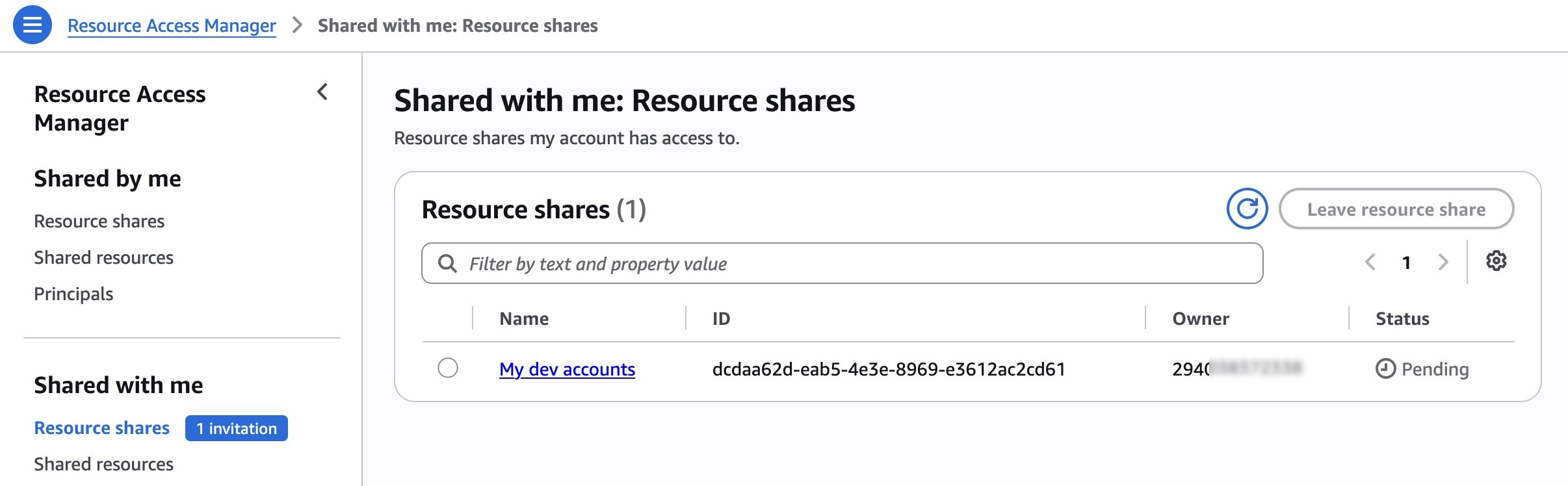
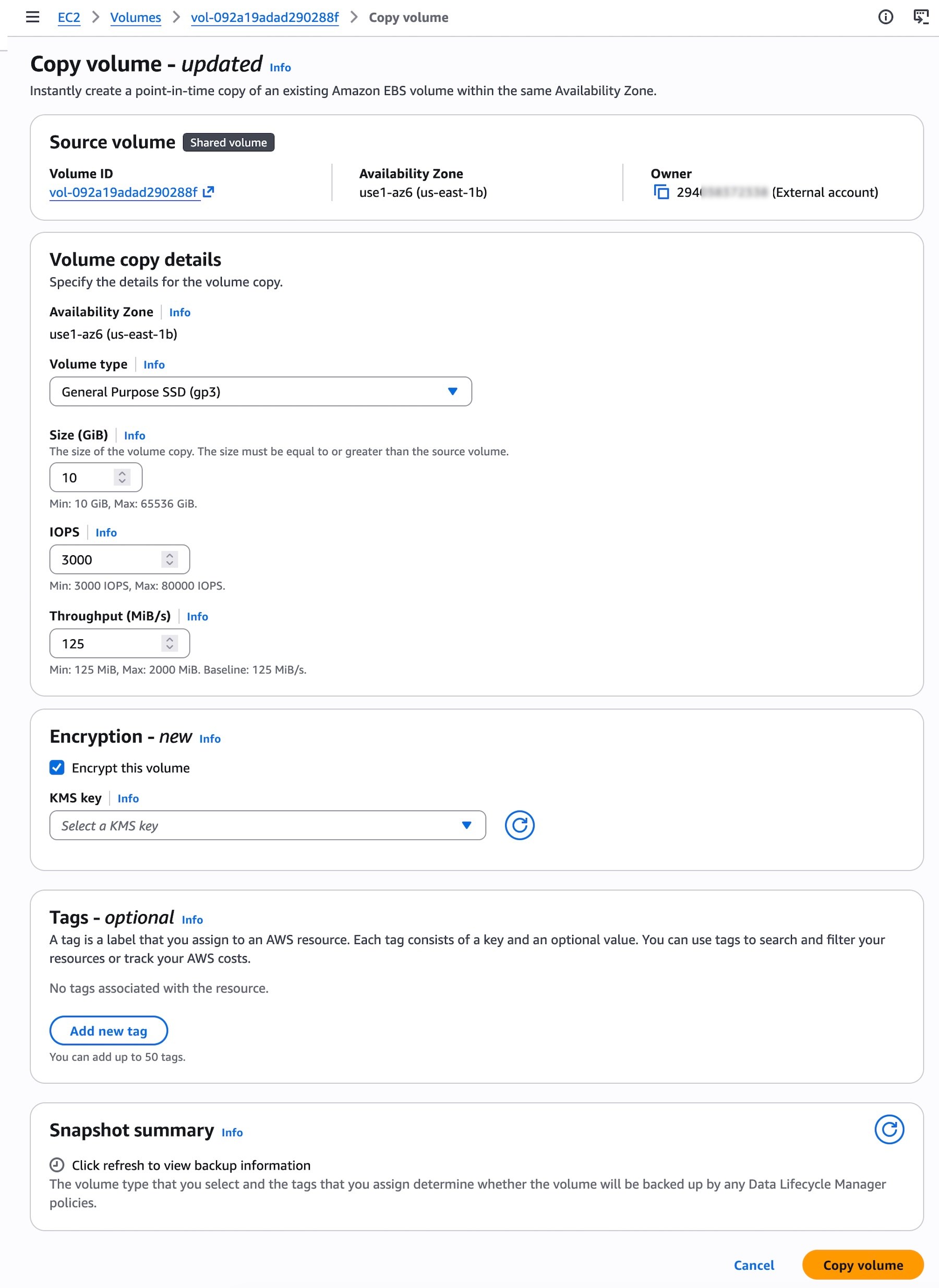
The receiving account must formally accept the resource share through the RAM console before proceeding. Following acceptance, shared volumes become visible on the EBS volume page within the target account. Administrators can then select Copy volume for any of the accessible shared volumes.
For programmatic workflows involving API calls and documentation searches, the AWS MCP Server and compatible plugins integrate with popular AI coding assistants. Additional guidance is available in the Amazon EBS User Guide.
Technical considerations
Encryption
Unencrypted volumes and those protected by customer managed keys (CMK) can be shared across accounts. Volumes encrypted with AWS's default managed key (AMK) are not eligible for sharing. When duplicating a shared volume secured with a CMK, that same CMK must also be accessible to the target account. During the copy operation, a different CMK can be specified to re-encrypt the resulting volume in the destination account.
Monitoring
The SharedVolumeCopyInitiated event can be tracked through AWS CloudTrail logs in your account. Amazon EventBridge delivers notifications at the beginning of the copy operation—when the copied volume enters the initializing state—and upon completion when the state transitions to completed. These events include the shared volume identifier, consuming account ID, and timestamp.
Pricing
A one-time charge based on volume capacity is applied to the account receiving the copy once the operation begins. Sharing EBS volumes through AWS RAM incurs no fees. The newly created volume will be subject to standard EBS pricing from the moment of creation.
Availability Zone
Copied volumes must reside in the same Availability Zone as their source. Availability Zone IDs (for instance, use1-az1) should be used to ensure alignment of the same physical infrastructure across different accounts.
Availability
Cross-account EBS Volume Clones are now accessible across all AWS Regions where Amazon EBS Volume Clones functionality is supported. Regional availability details and future plans can be found on the AWS Capabilities by Region page.
Users are encouraged to explore this capability through the Amazon EC2 console and share their experiences via AWS re:Post for Amazon EBS or through existing AWS Support channels.